
A Tech Care You Success Story
How a Printer Problem Opened the Door to Music, Confidence, and Joy
Technology support is not always just about fixing a device. Sometimes, solving one small problem creates an opportunity to introduce an older adult to something that can make everyday life more enjoyable.
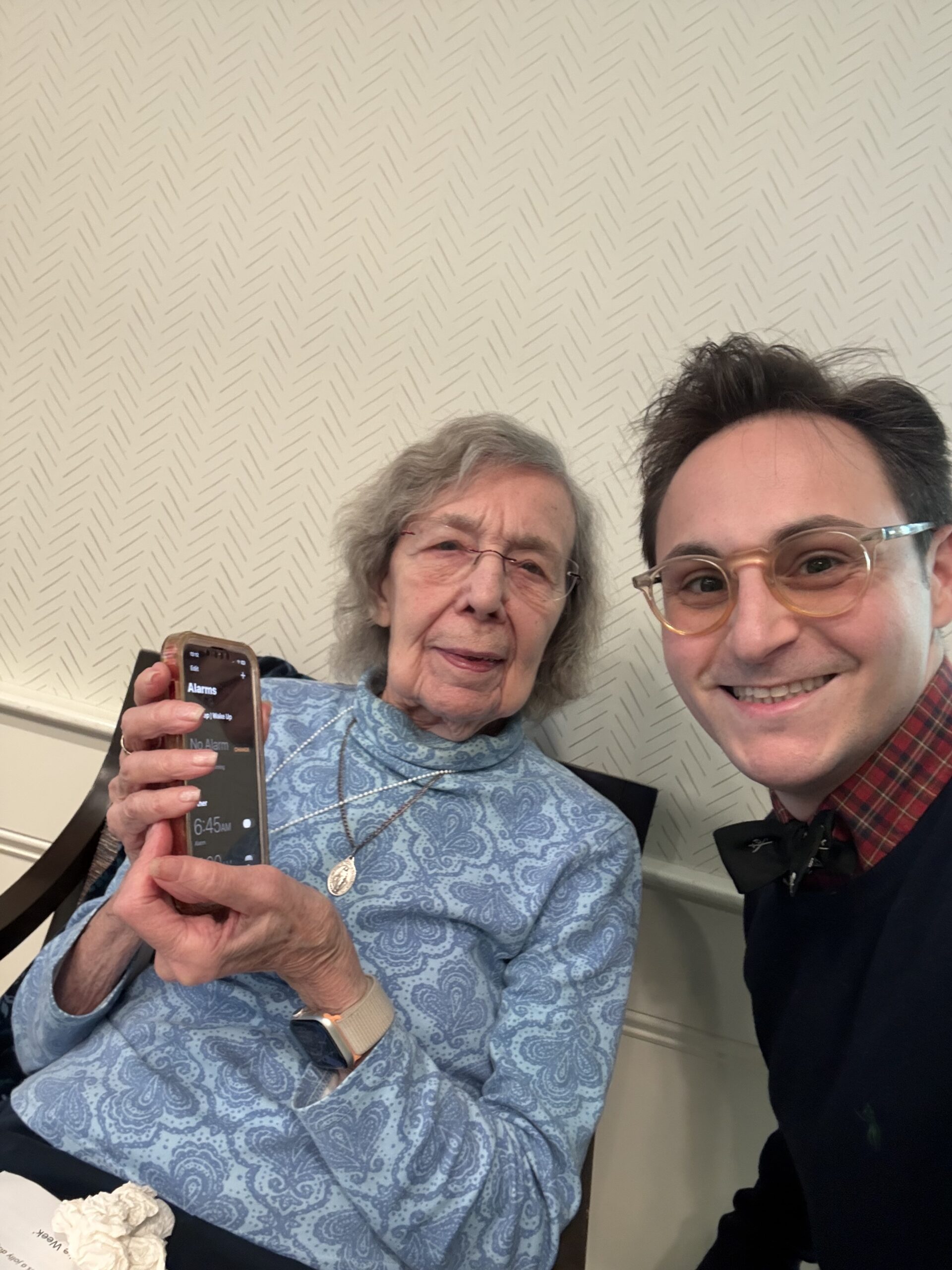
A Recent Visit at The Residence at Summer Street
I was recently invited to help an 82-year-old resident at The Residence at Summer Street in Stamford, Connecticut. She was experiencing problems with her printer and also needed help troubleshooting several issues on her computer.
We worked through each problem together, one step at a time. I explained what I was doing in simple, easy-to-understand language so that she would not only have a working printer, but also feel more comfortable using her computer after I left.
The best technology help does more than solve a problem. It can help someone discover new ways to enjoy and use technology.
From Printer Troubleshooting to Rediscovering Favorite Music
After resolving the printer and computer issues, I asked whether she had an Amazon Prime account. She confirmed that she did, so I introduced her to the Amazon Music app.
I was excited to show her that her Amazon Prime membership already gives her access to Amazon Music’s enormous catalog of 100 million songs at no additional cost. That meant she could immediately begin enjoying music from lifelong favorites such as The Beatles and Creedence Clearwater Revival without signing up for another paid service. Seeing her realize that so much music was already included with something she had was a wonderful moment.
I then showed her how to use Alexa within the app. Instead of typing an artist’s name or searching through menus, she could simply use her voice to request the music she wanted to hear.
Helpful Alexa Commands for Listening to Music
Open the Amazon Music app and tap the Alexa or voice-control icon. Then try one of these simple commands:
- “Alexa, play The Beatles.”
- “Alexa, play Creedence Clearwater Revival.”
- “Alexa, play classic rock.”
- “Alexa, play music from the 1960s.”
- “Alexa, play Here Comes the Sun.”
- “Alexa, play relaxing music.”
- “Alexa, pause the music.”
- “Alexa, turn the volume up.”
- “Alexa, skip this song.”
- “Alexa, what song is playing?”
Why Voice Commands Can Be Helpful for Older Adults
Typing artist names, remembering how to spell a song title, or navigating unfamiliar menus can sometimes feel frustrating. Voice controls can make the process much easier.
- They reduce the need to type on a small keyboard.
- They make it easier to find favorite artists and songs.
- They help older adults use technology more independently.
- They provide an easier way to pause, skip, or change music.
- They turn a phone or tablet into a simple source of entertainment.
Does Your Parent Need Help With Everyday Technology?
A printer problem, confusing app, forgotten setting, or unfamiliar device does not have to become an ongoing source of frustration. Tech Care You provides patient, personalized help designed specifically for older adults.
Technology Help Should Improve Quality of Life
Families often contact me because a parent needs help with a printer, smartphone, tablet, computer, email account, or another frustrating technology problem.
During a Tech Care You visit, I look for practical ways technology can help an older adult stay connected, entertained, informed, and more independent.
That might mean setting up video calling, organizing important contacts, enlarging text, improving online safety, learning voice commands, or finding an easier way to enjoy favorite music.
Every session is patient, personalized, and based on what the individual actually wants to accomplish. There is no rushing and no confusing technical language—just calm, step-by-step support.
Patient Help. Practical Solutions.
Help Your Parent Feel More Confident With Technology
Tech Care You provides patient, one-on-one help with smartphones, tablets, computers, printers, apps, video calling, online safety, Alexa, and everyday technology questions.
Call or Text: (848) 992-4599Tap the phone number to call directly from your mobile device.
Fill Out the Contact FormBecause technology should bring greater confidence, connection, and joy—not frustration.